Best IPTV Apps for Firestick in 2026: Complete Player Comparison and Setup Guide
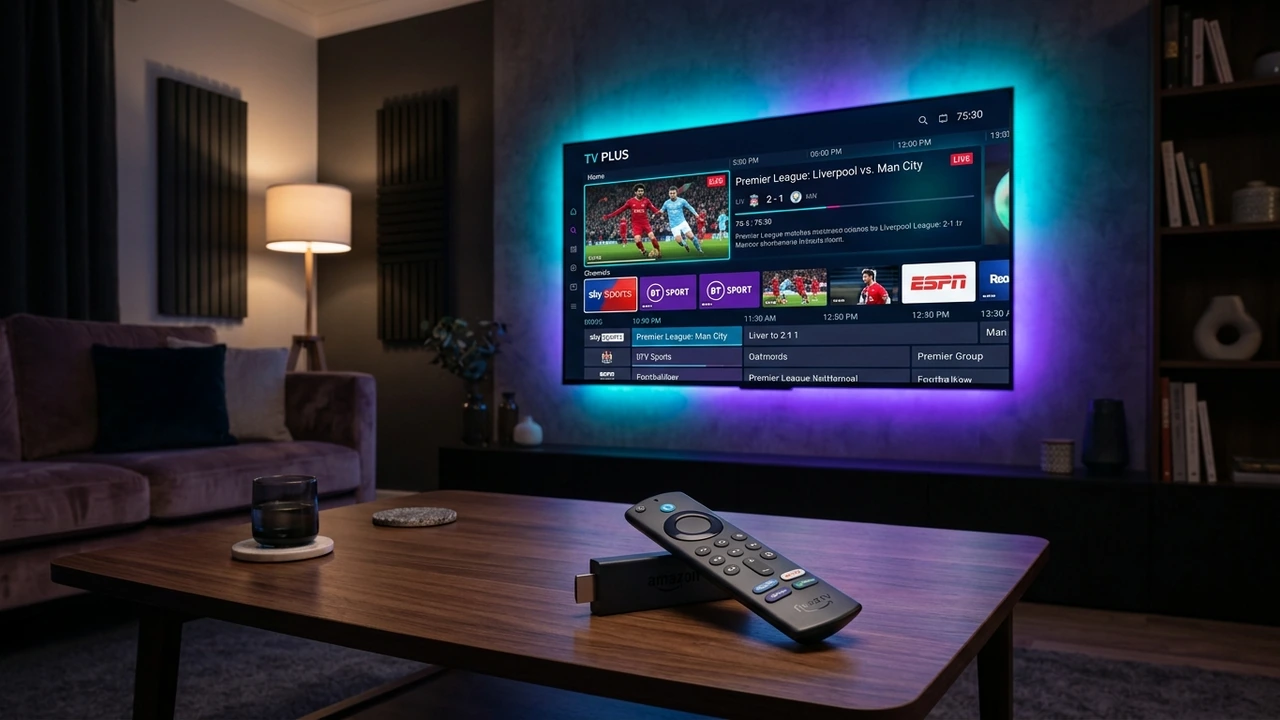
The Amazon Fire TV Stick stands as the undisputed champion of the modern cord-cutting revolution. With tens of millions of active devices deployed across living rooms, bedrooms, and home theaters worldwide, Amazon's compact HDMI streaming dongle has transformed how consumers access digital entertainment. By pairing an open, Android-based operating system (Fire OS) with hardware-accelerated video decoding and an affordable price point, the Fire TV Stick offers an ideal platform for high-definition live television streaming.
However, purchasing a Fire TV Stick is merely the first step in your cord-cutting journey. To unlock live television broadcasts, 24/7 sports feeds, international programming, and extensive video-on-demand libraries, you need two fundamental components: a high-performance, enterprise-grade IPTV subscription service like NixaTV IPTV and a dedicated, client-side IPTV Player Application.
A common source of confusion among new cord-cutters is conflating the player application with the content provider:
- The IPTV Player: The software interface installed on your Firestick that renders video streams, parses electronic program guides (EPG), manages your channel favorites, and interprets remote control button presses.
- The IPTV Service Provider: The underlying broadcast infrastructure—such as NixaTV's 20,000+ live channel catalog—that supplies the actual server streams, authentication credentials, and daily guide data.
The player application you choose dictates your daily viewing experience. A poorly optimized app will introduce navigation lag, suffer from audio-video desynchronization, crash when loading extensive channel bouquets, and drop streams during peak-motion sports broadcasts. Conversely, a top-tier, hardware-optimized player transforms your Firestick into a fluid, broadcast-grade television receiver that rivals high-end satellite set-top boxes.
In this comprehensive 2026 evaluation guide, we put the industry's leading Firestick IPTV player applications through rigorous, real-world benchmarking. We analyze interface ergonomics, EPG caching speeds, video decoder efficiency, multi-screen performance, and sideload safety, providing definitive recommendations for every tier of Amazon hardware.
1. The 4 Layers of Modern Firestick Streaming Architecture
To maximize performance and troubleshoot issues effectively, you should understand how the four distinct technological layers of your streaming setup interact:
┌──────────────────────────────────────────────────────────────────────────┐
│ LAYER 1: HARDWARE (Amazon Fire TV Stick / Cube)                           │
│ Quad-core / Octa-core SoC, GPU Video Decoder, Wi-Fi 6 Chip, HDMI Output  │
└────────────────────────────────────┬─────────────────────────────────────┘
                                     │
┌────────────────────────────────────▼─────────────────────────────────────┐
│ LAYER 2: OPERATING SYSTEM (Amazon Fire OS / Android Open Source Project) │
│ Memory Management, Hardware Abstraction Layer, App Sandboxing           │
└────────────────────────────────────┬─────────────────────────────────────┘
                                     │
┌────────────────────────────────────▼─────────────────────────────────────┐
│ LAYER 3: IPTV PLAYER APPLICATION (TiviMate, Smarters Pro, XCIPTV)        │
│ UI Navigation, EPG Parsing, Transport Stream Demuxing, Audio Sync        │
└────────────────────────────────────┬─────────────────────────────────────┘
                                     │
┌────────────────────────────────────▼─────────────────────────────────────┐
│ LAYER 4: STREAMING INFRASTRUCTURE (NixaTV High-Capacity CDN)             │
│ Satellite Downlinks, Transcoding Nodes, 20,000+ Channels, 99.9% Uptime   │
└──────────────────────────────────────────────────────────────────────────┘
When all four layers operate in harmony, channel changes happen in under 500 milliseconds, sports broadcasts glide at a fluid 60 frames per second, and electronic program guides load seamlessly. If any single layer is misconfigured or underpowered, buffering and playback stutter inevitably follow.
2. The Best IPTV Apps for Firestick Ranked & Reviewed (2026 Edition)
We tested dozen of applications across hundreds of hours of live 4K, Full HD 60 FPS, and international broadcasting. Below are the definitive rankings of the top IPTV player applications available for Amazon Fire TV devices in 2026.
┌──────────────────────────────────────────────────────────────────────────┐
│                   2026 FIRESTICK IPTV PLAYER RANKINGS                    │
├──────────────────────────────────────────────────────────────────────────┤
│ 1. TiviMate IPTV Player   ──► The Undisputed King of TV Interface        │
│ 2. IPTV Smarters Pro      ──► The Multi-Platform Classic Champion        │
│ 3. XCIPTV Player          ──► Modern Launcher Layout with Dual Decoders  │
│ 4. Televizo               ──► Ultra-Lightweight Speed for Older Sticks   │
│ 5. OTT Navigator IPTV     ──► The Power-User Customization Beast         │
│ 6. Smart IPTV (SIPTV)     ──► Minimalist Legacy MAC-Based Simplicity     │
└──────────────────────────────────────────────────────────────────────────┘
1. TiviMate IPTV Player: The Undisputed Benchmark
For anyone seeking an authentic, broadcast-grade television experience on Fire OS, TiviMate is widely recognized as the single finest IPTV application ever engineered. Developed specifically for Android TV and Fire OS remote controls, TiviMate completely avoids touch-screen emulation, delivering a sleek, obsidian-themed interface that surpasses traditional satellite set-top boxes from Sky, DirecTV, or Virgin Media.
┌─────────────────────────────────────────────────────────────────────────┐
│                    TIVIMATE: KEY ADVANTAGES AT A GLANCE                 │
├─────────────────────────────────────────────────────────────────────────┤
│ • Full Multi-Day Interactive EPG Grid with Customizable Time Windows    │
│ • Seamless Picture-in-Picture (PiP) and 2-to-9 Screen Multi-View        │
│ • Auto Frame Rate (AFR) Matching (eliminates 50Hz/60Hz sports judder)   │
│ • Multi-Playlist Support (aggregate backup streams with auto-failover)  │
│ • Local and Cloud Recording via USB or Networked Storage (SMB/NAS)      │
│ • Instant Channel Switching with Zero Audio Delay                       │
└─────────────────────────────────────────────────────────────────────────┘
Why TiviMate Dominates Fire OS:
- True TV Remote Navigation: Every menu, slider, and pop-up is mapped intuitively to the Fire TV remote's directional ring, select button, and menu key. Long-pressing the select button brings up a fast quick-menu, while pressing the down arrow reveals recent channels without interrupting active full-screen playback.
- Granular Video & Audio Decoder Controls: TiviMate allows users to switch between Hardware and Software decoders independently for video and audio tracks. If an obscure international broadcast uses an unusual audio codec (such as AC3+ or AAC-LATM), TiviMate decodes it without dropped frames.
- Auto Frame Rate (AFR): European broadcasts (e.g., UK Premier League, Sky Sports) broadcast natively at 50 FPS, while North American sports (e.g., NFL, NBA) broadcast at 59.94 / 60 FPS. When displayed on a fixed 60 Hz television panel, 50 FPS feeds exhibit rhythmic micro-stutter. TiviMate's AFR engine dynamically switches your television's display panel frequency to match the incoming stream, ensuring pristine visual motion.
- Backup & Restore: TiviMate allows you to export your entire playlist layout, custom channel groups, favorite lists, and decoder preferences to a single encrypted file. If you configure a Fire TV Stick in the living room, you can restore that exact configuration onto bedroom Firesticks in under thirty seconds.
Pricing: Free basic version available; Premium lifetime license (~$34.99 for 5 devices) unlocks multi-view, recording, and advanced EPG features.
2. IPTV Smarters Pro: The Universal Classic
IPTV Smarters Pro (often distributed as Smarters Player Lite or Smarters Pro) is arguably the most widely recognized IPTV application in the world. Built on a modular, dashboard-oriented design, Smarters Pro separates content into distinct visual portals: Live TV, Movies, Series, and Catch-Up.
Key Features & Performance:
- Master Search Engine: One of Smarters Pro's greatest strengths is its unified global search bar. Users can type an actor's name, movie title, or sports team, and the application instantly queries live channels, on-demand movies, and episodic series simultaneously.
- Native Multi-Screen Viewing: Allows viewers to split their television display into 2-screen, 3-screen, or 4-screen quadrants—an essential feature for tracking multiple NFL games, Premier League matches, or breaking news events concurrently.
- Parental Lock Management: Provides comprehensive parental controls with custom PIN locks that can be applied to adult categories, premium movie channels, or administrative settings.
- Dual Embedded Players: Incorporates both ExoPlayer and VLC Media Player engines directly within the APK, allowing users to toggle player engines on the fly if a specific stream refuses to render properly.
Best For: Households that consume equal amounts of Video-on-Demand movies and live television, or users who already use Smarters across iOS, Android phones, and PC platforms and want a familiar interface on their Firestick.
3. XCIPTV Player: The Sleek Modern Launcher
Developed by Ottrun, XCIPTV Player has surged in popularity among Fire TV users who prefer a modern, streaming-hub aesthetic over traditional linear EPG grids. Its home dashboard mirrors modern streaming platforms like Disney+ or Hulu, featuring dynamic hero banners, recent channel history, and clean category carousels.
Key Strengths:
- Zero Sideloading Configuration Needed: XCIPTV handles Xtream Codes API parameters flawlessly, populating posters, movie ratings, cast lists, and trailers automatically upon authentication.
- Built-in Speed Test Utility: Includes an integrated network speed testing module within the settings menu. This allows users to test their broadband throughput directly from the Firestick to diagnose potential ISP throttling without opening an external browser.
- Flexible Player Engine Customization: Users can designate different media players for different content types—for example, using the internal hardware-accelerated player for live sports feeds while delegating 4K MKV movies to an external VLC installation for advanced subtitle rendering.
Best For: Users who love modern graphical dashboard layouts and want quick visual access to recently watched channels and newly added VOD cinema titles.
4. Televizo: Ultra-Lightweight Performance Champion
If you are running an aging 1st or 2nd Generation Amazon Fire TV Stick, or a budget Fire TV Stick Lite with constrained system RAM, heavy applications like TiviMate or XCIPTV can occasionally feel sluggish. Televizo was built with extreme performance efficiency as its core design mandate.
Why Televizo Excels on Budget Hardware:
- Minimalist Memory Footprint: Consumes less than 45 MB of active RAM during playback, leaving ample system memory for the Fire OS operating system.
- Sub-Second Boot Time: Launches and populates EPG guide data in a fraction of the time required by heavier dashboard-style players.
- Streamlined Remote Navigation: Simple, uncluttered channel lists that scroll effortlessly without frame stutter, even when processing playlists containing over 20,000 channels.
Best For: Older Fire TV hardware, secondary guest room televisions, or users who prioritize blazing-fast channel navigation over flashy interface widgets.
5. OTT Navigator IPTV: The Power-User's Playground
For tech enthusiasts who want control over every conceivable streaming parameter, OTT Navigator offers an overwhelming array of customization options.
Standout Capabilities:
- Dynamic Smart Filters: Automatically organizes channels based on video resolution, audio codecs, language tracks, or broadcast framerate (e.g., automatically generating a dedicated "60 FPS Sports" category from your playlist).
- Studio Codec Tweaks: Provides deep video buffer tuning, custom user-agent string spoofing, and advanced interlacing de-interlacing filters.
- Multi-Source EPG Aggregation: Allows users to map secondary and tertiary XMLTV guide sources to individual channels when an original broadcaster feed lacks programming metadata.
Best For: Advanced technical users who enjoy fine-tuning network buffers, de-interlacing algorithms, and custom user-agent headers.
6. Smart IPTV (SIPTV): Minimalist Legacy Simplicity
Smart IPTV is one of the oldest and most recognizable names in the IPTV ecosystem. Unlike modern apps that log in via username and password, SIPTV utilizes a unique MAC Address Pairing model.
How It Works:
Upon launching the app on your Firestick, it displays a virtual MAC address (e.g., 00:1a:79:xx:xx:xx). The user navigates to the SIPTV web portal on a computer or phone, enters the MAC address alongside their NixaTV M3U playlist link, and uploads the channels directly to the device.
Best For: Elderly or non-technical viewers who want an ultra-simple list of channels that launches immediately upon powering up the television without complex menus or account logins.
3. Comprehensive Feature Comparison Matrix
To help you decide which player application aligns best with your viewing habits and Firestick hardware, consult our master comparison matrix below:
| Feature / Metric | TiviMate IPTV Player | IPTV Smarters Pro | XCIPTV Player | Televizo | OTT Navigator |
|---|---|---|---|---|---|
| Interface Style | Modern EPG Cable Grid | Modular Dashboard | Modern Launcher | Minimalist List | Hybrid Customizable |
| Fire TV Remote Optimization | 10/10 (Flawless) | 8.5/10 (Very Good) | 8.5/10 (Very Good) | 9/10 (Excellent) | 8/10 (Complex) |
| Multi-Screen Multi-View | Up to 9 Screens | Up to 4 Screens | Up to 4 Screens | Up to 2 Screens | Up to 4 Screens |
| Auto Frame Rate (AFR) | Yes (Native) | No | No | Partial | Yes (Advanced) |
| RAM Usage on Firestick | Moderate (~120 MB) | Moderate (~140 MB) | High (~180 MB) | Ultra-Low (~45 MB) | High (~160 MB) |
| EPG Caching Speed | Blazing Fast | Moderate | Fast | Blazing Fast | Fast |
| VOD Poster / Metadata UI | Good | Exceptional | Exceptional | Basic | Very Good |
| Recording Support (DVR) | Yes (Local/SMB/NAS) | Yes (Local only) | Yes (Local only) | Yes | Yes (Advanced) |
| Catch-Up TV Support | Yes (Integrated) | Yes (Dedicated tab) | Yes | Yes | Yes |
| Official Appstore Available | Sideload via Downloader | Sideload / Select | Sideload via Downloader | Sideload via Downloader | Sideload via Downloader |
Premium NixaTV 4K/8K Streaming — Save 61% Today
Unlock 50,000+ channels, 150,000+ VODs, and 60 FPS Anti-Freeze technology. Get our 12-Month Plan for just $69.99.
- Premium Anti-Freeze v2.0
- Instant WhatsApp Activation
4. Firestick Hardware Tiers: Performance Benchmarks for 2026
Your player application can only perform as well as the underlying silicon powering your Fire TV device. Amazon produces several tiers of Firestick hardware, and their real-world streaming capabilities vary substantially:
┌──────────────────────────────────────────────────────────────────────────┐
│                      AMAZON FIRE TV HARDWARE BENCHMARKS                  │
├──────────────────────────────────────────────────────────────────────────┤
│ 1. Fire TV Cube (3rd Gen)       ──► 8-Core CPU | 2GB RAM | 16GB Storage  │
│ 2. Fire TV Stick 4K Max (2nd Gen)──► 4-Core CPU | 2GB RAM | 16GB Storage │
│ 3. Fire TV Stick 4K (2nd Gen)   ──► 4-Core CPU | 2GB RAM | 8GB Storage   │
│ 4. Fire TV Stick Lite / HD      ──► 4-Core CPU | 1GB RAM | 8GB Storage   │
└──────────────────────────────────────────────────────────────────────────┘
The 1 GB vs. 2 GB RAM Threshold
The single most critical hardware specification for live IPTV streaming is System RAM:
- Budget Sticks (Fire TV Stick Lite / Fire TV Stick HD): Equipped with only 1 GB of RAM. When running Fire OS background processes alongside a heavy IPTV playlist containing 20,000+ channels and multi-day EPG data, the device quickly exhausts physical memory. This leads to abrupt app crashes, stuttering video decoders, and sluggish remote response times.
- 4K Models (Fire TV Stick 4K / 4K Max / Fire TV Cube): Equipped with 2 GB of high-speed RAM. This extra gigabyte provides the memory headroom required to cache thousands of channel entries, maintain smooth 60 FPS video decoders, and run multi-screen viewing without system crashes.
[!TIP] Hardware Recommendation: If you are serious about live sports and 4K streaming, we strongly advise using at least an Amazon Fire TV Stick 4K or Fire TV Stick 4K Max. The performance difference during fast-paced 60 FPS athletic broadcasts is night and day compared to 1 GB budget models.
5. Verified Sideloading Protocol: Installing Apps via Downloader
Because premier IPTV player applications like TiviMate and XCIPTV are not hosted on the default Amazon Appstore due to Amazon's restrictive developer policies, users must "sideload" them using the verified Downloader utility.
Follow this battle-tested step-by-step installation protocol to install your player securely without exposing your hardware to malware:
[ Step 1: Install Downloader App from Amazon Appstore ]
                         │
                         ▼
[ Step 2: Unlock Developer Options (The 7-Click Method) ]
                         │
                         ▼
[ Step 3: Grant "Install Unknown Apps" Permission to Downloader ]
                         │
                         ▼
[ Step 4: Enter Official Quick-Code & Install Verified APK ]
                         │
                         ▼
[ Step 5: Delete Temporary APK to Preserve Crucial Flash Storage ]
Step 1: Install the Official Downloader Utility
- On your Fire TV home screen, navigate to Find > Search.
- Type
Downloaderusing the on-screen keyboard or voice remote. - Select the orange Downloader app developed by AFTVnews.
- Click Download / Get and wait for the installation to finalize.
Step 2: Unlock Fire OS Developer Options (The 7-Click Secret)
On modern Fire OS releases (Fire OS 7 and Fire OS 8), Amazon hides the Developer Options menu by default:
- Navigate to Settings (the gear icon on the right side of the menu bar).
- Select My Fire TV.
- Highlight About (do NOT click into it yet).
- Highlight the Name of your Fire TV Stick (e.g., Fire TV Stick 4K Max).
- Press the Center Select Button on your remote 7 times consecutively.
- A toast notification will appear at the bottom of the screen: "No need, you are already a developer."
- Press the Back button once; you will now see Developer Options listed beneath About.
Step 3: Enable Installation of Unknown Applications
- Inside My Fire TV, select Developer Options.
- Click Install unknown apps (or Apps from Unknown Sources on older Fire OS versions).
- Scroll down to find Downloader and toggle the permission to ON.
Step 4: Download and Install Your Chosen IPTV Player
- Launch the Downloader application from your Apps library.
- Grant Downloader permission to access device storage when prompted.
- In the URL input field, enter the official quick-code or direct download link for your chosen application:
- TiviMate IPTV Player (Official): Enter quick-code
278077or typehttps://tivimate.com. - IPTV Smarters Pro: Enter quick-code
80516or visit the official Smarters portal. - XCIPTV Player: Enter quick-code
54826.
- TiviMate IPTV Player (Official): Enter quick-code
- Click Go. Downloader will automatically connect to the server, fetch the verified APK package, and prompt you to install.
- Select Install.
- Once installation finishes, click Done (do NOT click Open immediately).
- Select Delete to delete the temporary installation APK file, and click Delete again to confirm. This preserves valuable flash storage space on your Firestick.
6. Xtream Codes API vs. M3U URLs: Why Protocol Matters on Fire OS
When logging into your newly installed player, you will encounter two connection protocols: Xtream Codes API and M3U Playlist URLs.
┌────────────────────────────────────────────────────────────────────────┐
│                   M3U PLAYLIST VS. XTREAM CODES API                    │
├────────────────────────────────────────────────────────────────────────┤
│ M3U PLAYLIST URL:                                                      │
│ • Single massive plain-text file containing 50,000+ lines of text.    │
│ • Forces Firestick to parse megabytes of raw text into RAM at once.   │
│ • High crash rate on Fire TV sticks with 1GB RAM.                     │
│ • Requires manual guide URL input; zero movie poster metadata.         │
├────────────────────────────────────────────────────────────────────────┤
│ XTREAM CODES API (RECOMMENDED):                                        │
│ • Secure server handshake using: Server URL + Username + Password.     │
│ • Channels, VOD, and EPG are fetched in small, paginated JSON calls.   │
│ • 10x faster initial loading; zero RAM saturation or app crashes.     │
│ • Automatically syncs EPG schedules and populates movie cover posters. │
└────────────────────────────────────────────────────────────────────────┘
[!IMPORTANT] Always connect via Xtream Codes API. When setting up your NixaTV IPTV subscription, select Xtream Codes API inside your player app. You will only need to input three simple fields: your assigned Server URL, Username, and Password. Your complete channel lineup and live TV guide will organize into clean, categorized bouquets in seconds.
7. Advanced Performance Tuning for Fire TV Sticks
To ensure your Firestick streams high-bitrate live sports with the same buttery-smooth consistency as a dedicated cable box, apply these expert configuration tweaks:
1. Hardware Video Decoding (MediaCodec)
Inside your player settings (TiviMate or Smarters Pro), navigate to Settings > Playback > Video Decoder.
- Switch from Software to Hardware (often labeled MediaCodec or Hardware Decoder).
- Software decoding relies on the Firestick's general-purpose CPU cores, generating extreme heat and frame judder.
- Hardware decoding delegates video decompression to the specialized GPU silicon block on the Amazon chip, reducing CPU load from 95% down to under 15% and guaranteeing smooth 60 FPS playback.
2. Calibrate Display Match Frame Rate
Amazon Fire OS features a native system-level frame rate matching engine:
- Navigate to Fire TV Settings > Display & Sounds > Display.
- Set Match Original Frame Rate to ON.
- Set Color Depth to 10 bits or 12 bits (if supported by your 4K HDR television).
- Combine this with TiviMate's internal Auto Frame Rate (AFR) setting to eliminate all motion blur and sports judder permanently.
3. Clear Application Cache Regularly
Over weeks of heavy channel surfing, Fire OS caches thousands of channel icons, station logos, and temporary transport stream fragments. This cache can swell to over 1 GB, suffocating the Firestick's internal storage:
- Navigate to Settings > Applications > Manage Installed Applications.
- Highlight your IPTV player app.
- Click Clear Cache (do NOT click Clear Data, as this will erase your login credentials).
- Repeat this simple maintenance routine once a month to keep your Firestick running at peak velocity.
4. Banish Background App Drain
Streaming sticks frequently leave background utility apps running in memory. Install a lightweight utility like Background Apps & Process List from the Amazon Appstore. Run it periodically to force-close background apps, freeing up 100% of your Firestick's RAM exclusively for your live television stream.
Premium NixaTV 4K/8K Streaming — Save 61% Today
Unlock 50,000+ channels, 150,000+ VODs, and 60 FPS Anti-Freeze technology. Get our 12-Month Plan for just $69.99.
- Premium Anti-Freeze v2.0
- Instant WhatsApp Activation
Frequently Asked Questions
9. Conclusion: Build Your Ultimate Firestick Entertainment Center
The Amazon Fire TV Stick is a remarkably capable piece of streaming hardware, but its real-world performance depends entirely on the software you install and the streaming infrastructure powering it.
By pairing a high-end, remote-optimized player application like TiviMate or IPTV Smarters Pro with the enterprise-grade stability, pristine 4K feeds, and expansive 20,000+ channel catalog of the NixaTV IPTV platform, you can eliminate buffering circles, clunky web browsers, and high cable bills forever.
Ready to transform your Fire TV Stick into the ultimate live television hub?
- Explore our massive library of 20,000+ live channels and sports networks.
- Select your multi-room NixaTV subscription plan.
- Follow our visual Firestick installation tutorials.
- Learn more about our high-throughput delivery in how NixaTV works.
- Need personalized setup guidance? Our technical support team is available 24/7 via the contact helpdesk.